
Academia - Education WordPress Theme
Introduction
Thanks for purchasing the Academia Education WordPress Theme. This documentation file covers all the information needed to install and use this theme. So, please check out the documentation carefully. If you will not understand anything about the documentation or face any problems, please contact us via themeforet or email us: [email protected], Our dedicated support team members are ready to help you.
Theme Installation
Installation Process:
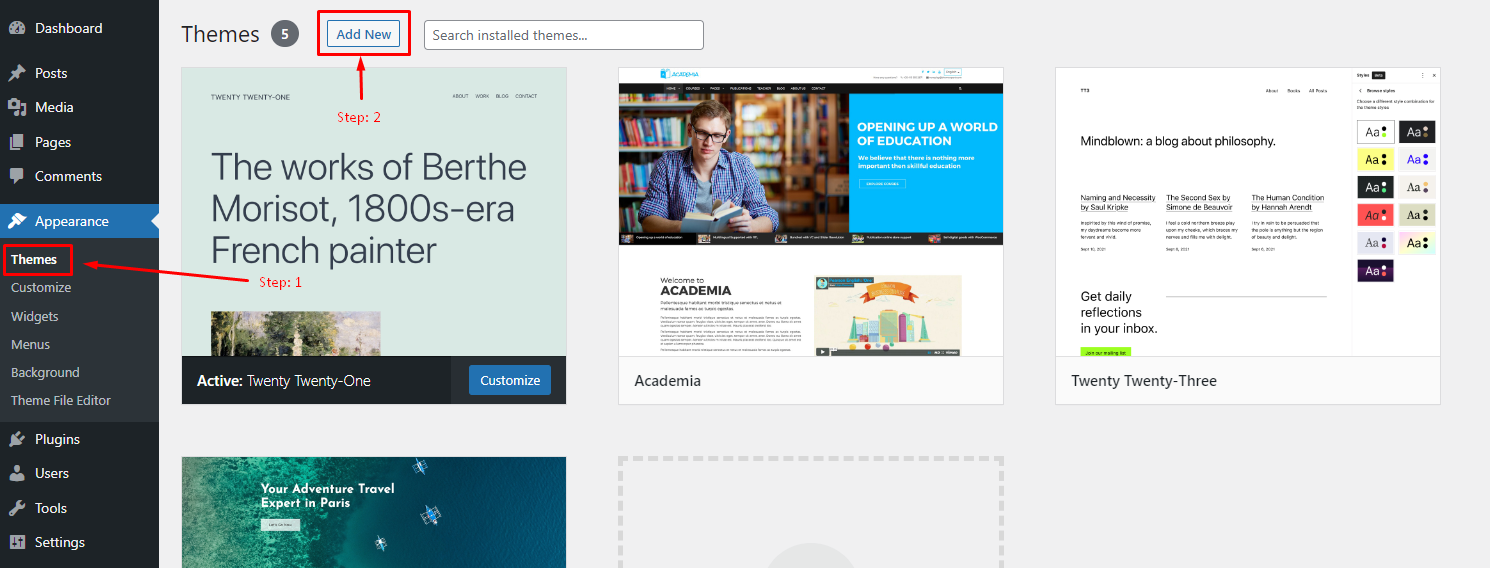
- 1. Navigate to Appearance > Themes > Add New > Upload theme.
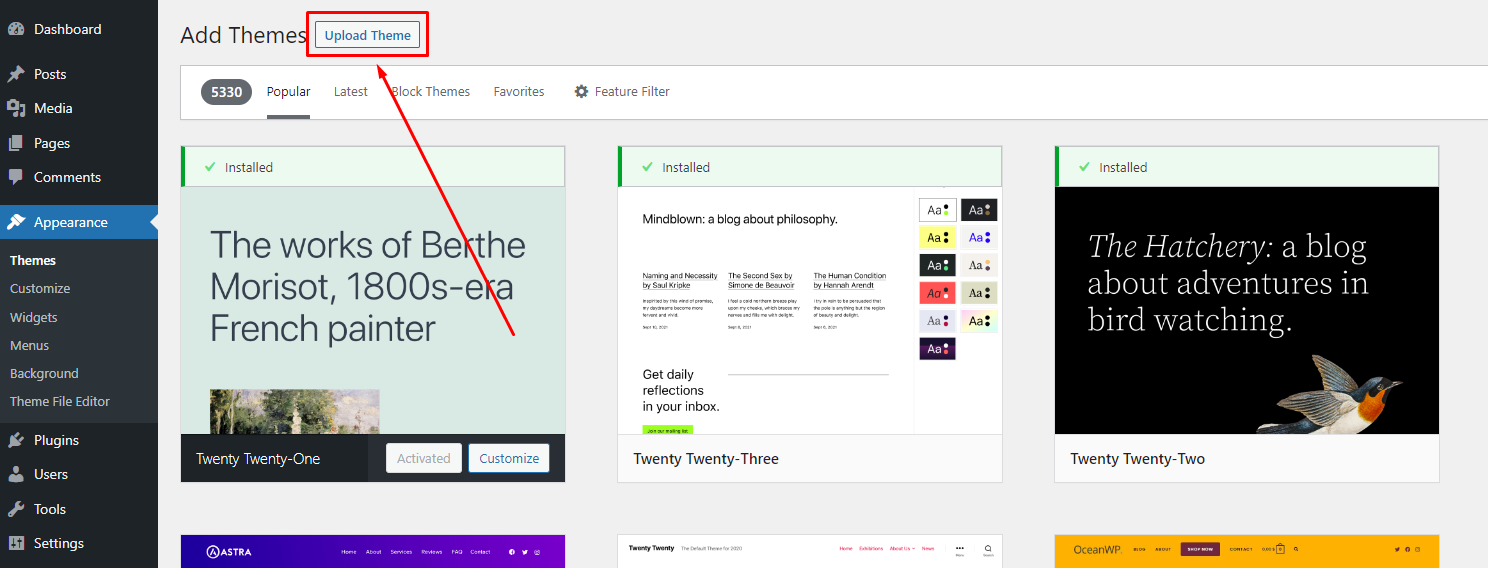
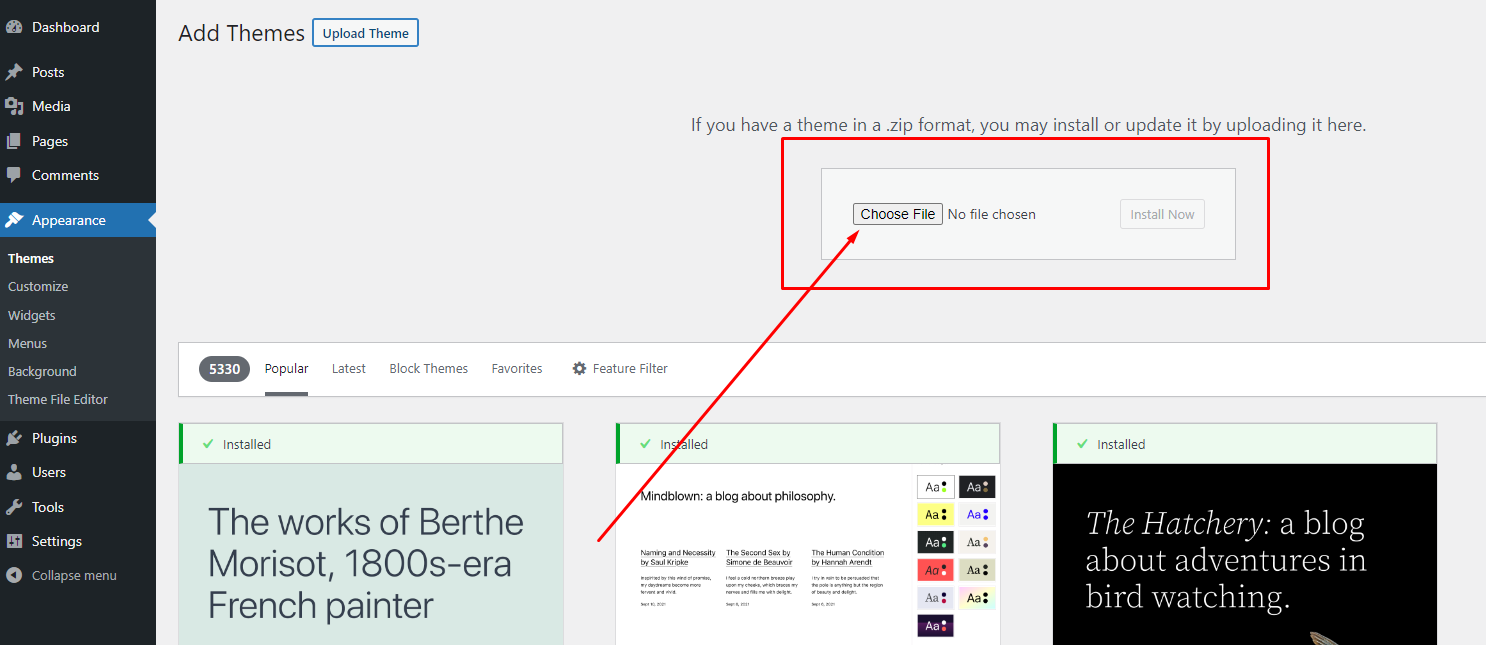
- 2. Click on "Choose File" and select academia.zip file
- 3. Click on "Install Now".
Plugins Installation
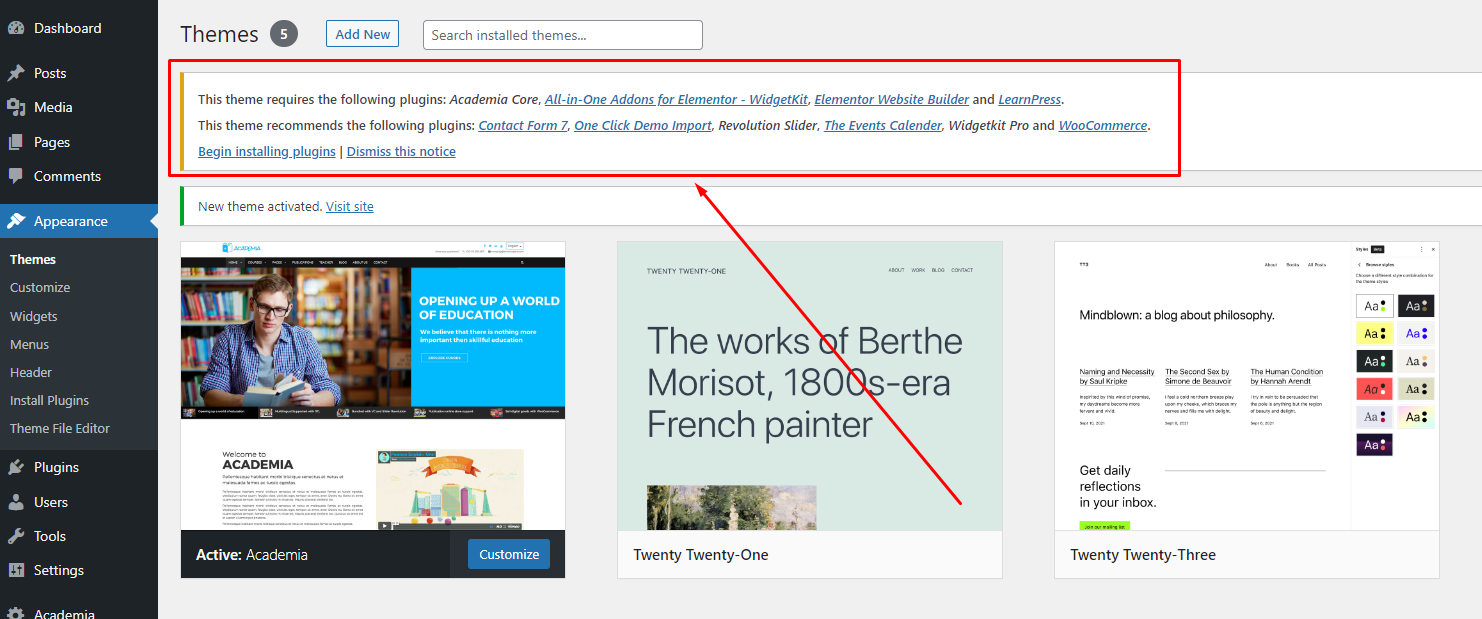
Install the required and recommended plugins. Then activate the plugins.
Demo Import
Demo data import Process:
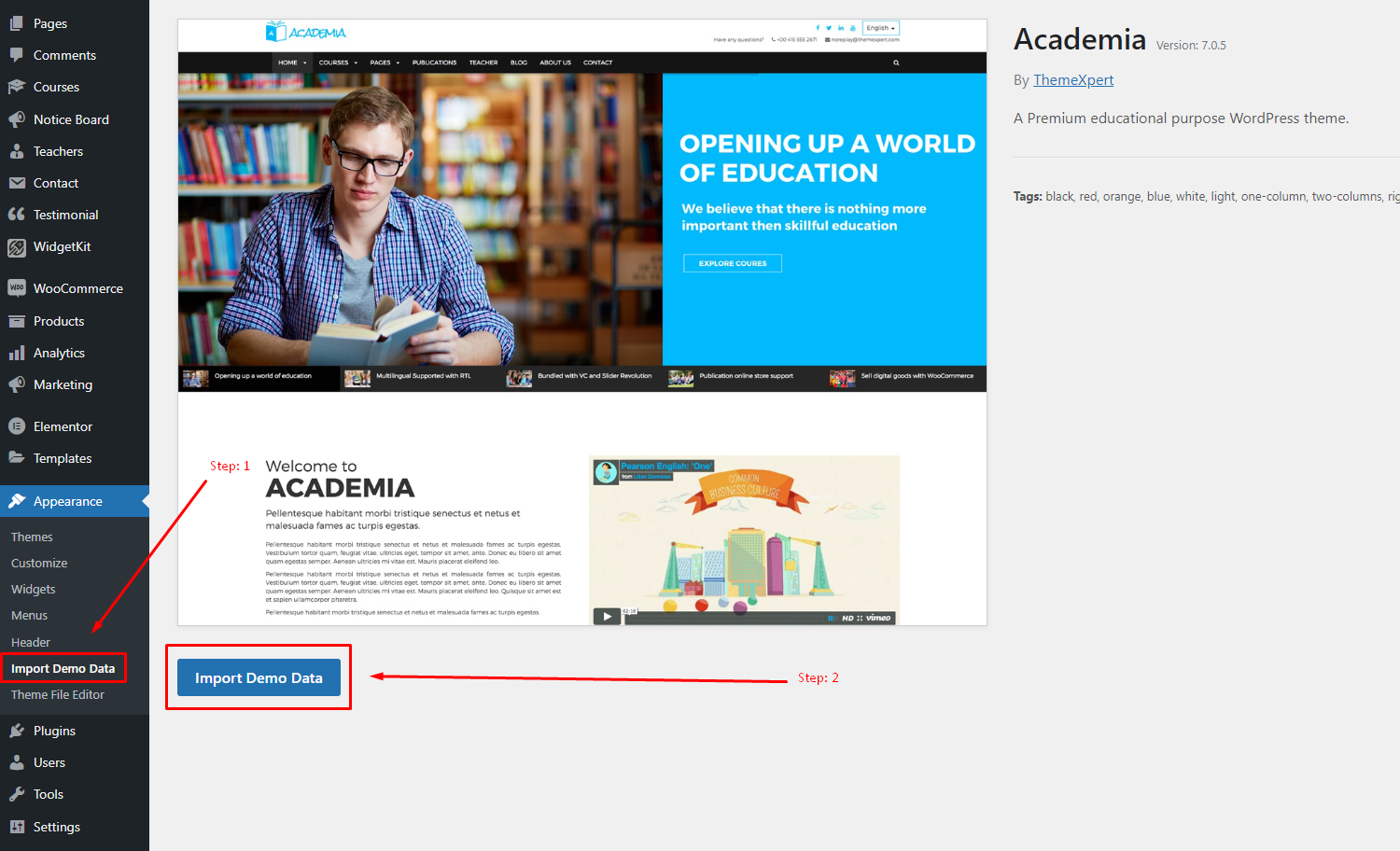
- 1. Navigate to Appearance > Import Demo Data.
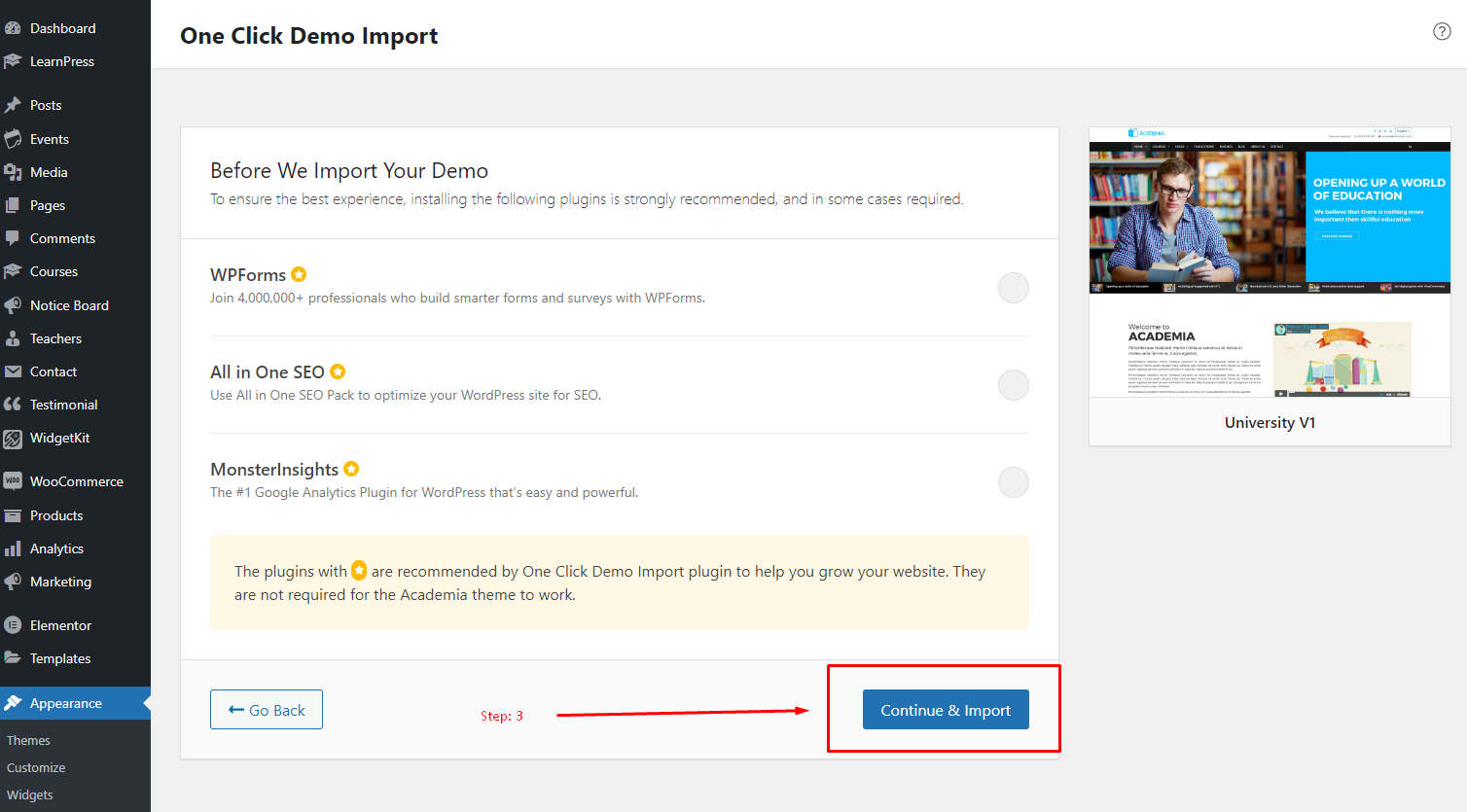
- 2. Click on the "Import Demo Data" button.
- 3. After importing Demo Data, check the widget and menus. If they are not imported correctly, then set them manually.
- 4. Finally, after importing the Demo Data, please import the Slider
Note: Sometimes, demo import does not work correctly due to the client's server problem. Then import it manually. Demo contents are available in the Demo folder which is available inside the Academia Package folder. To import the demo data manually, Please navigate to Tools > Import > Select file
Slider Import
Slider Import Process:
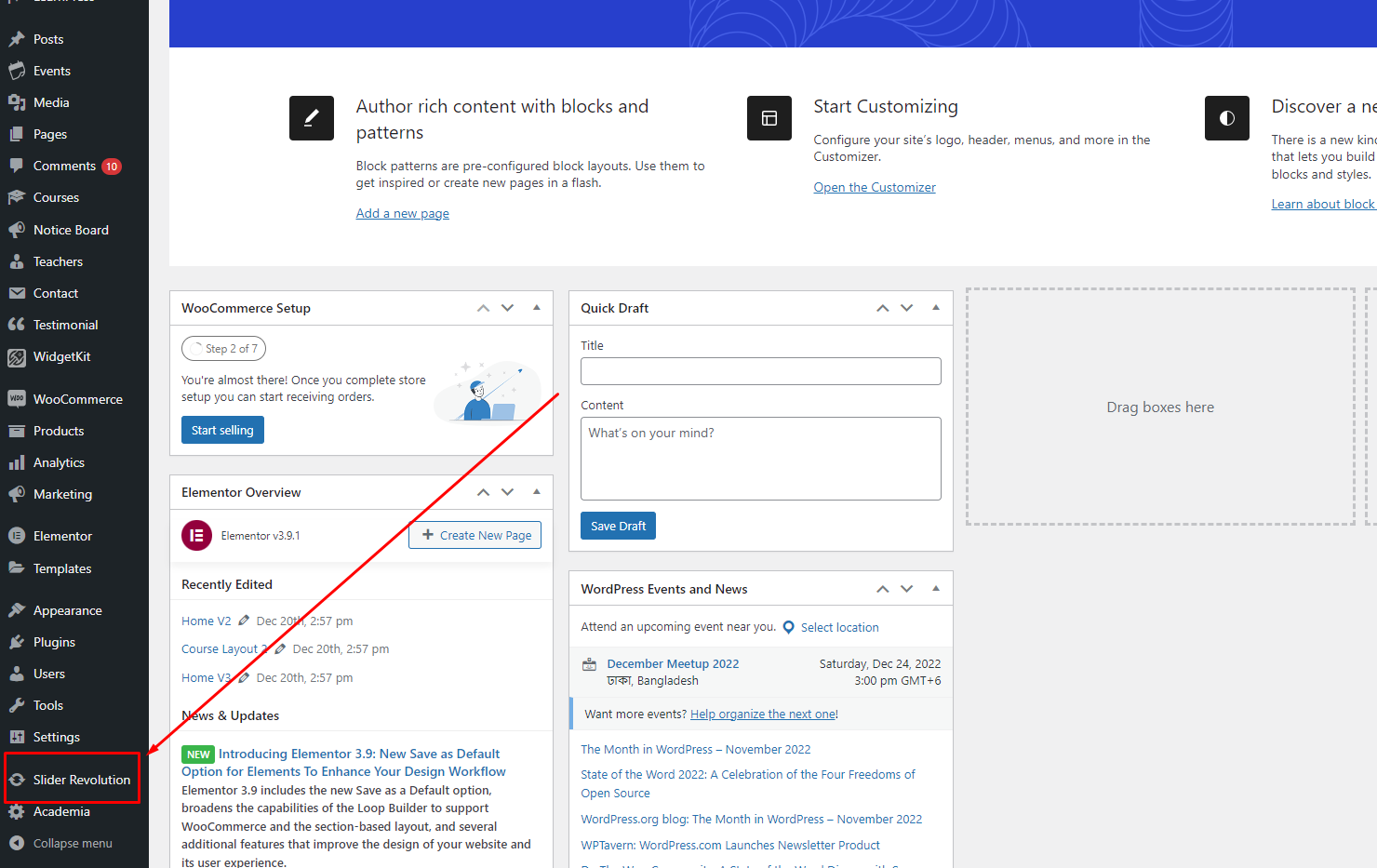
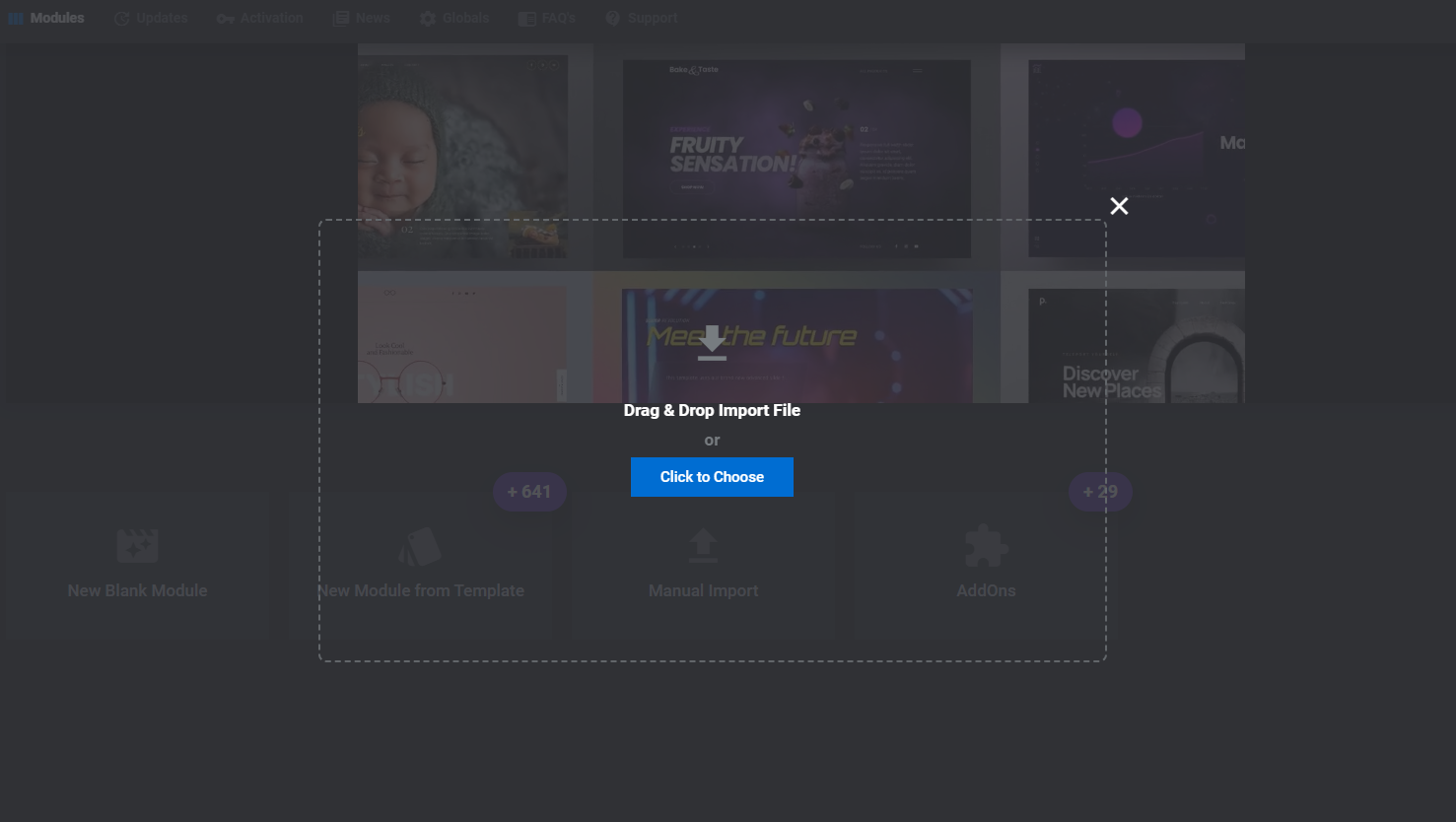
- 1. Navigate to Slider Revolution.
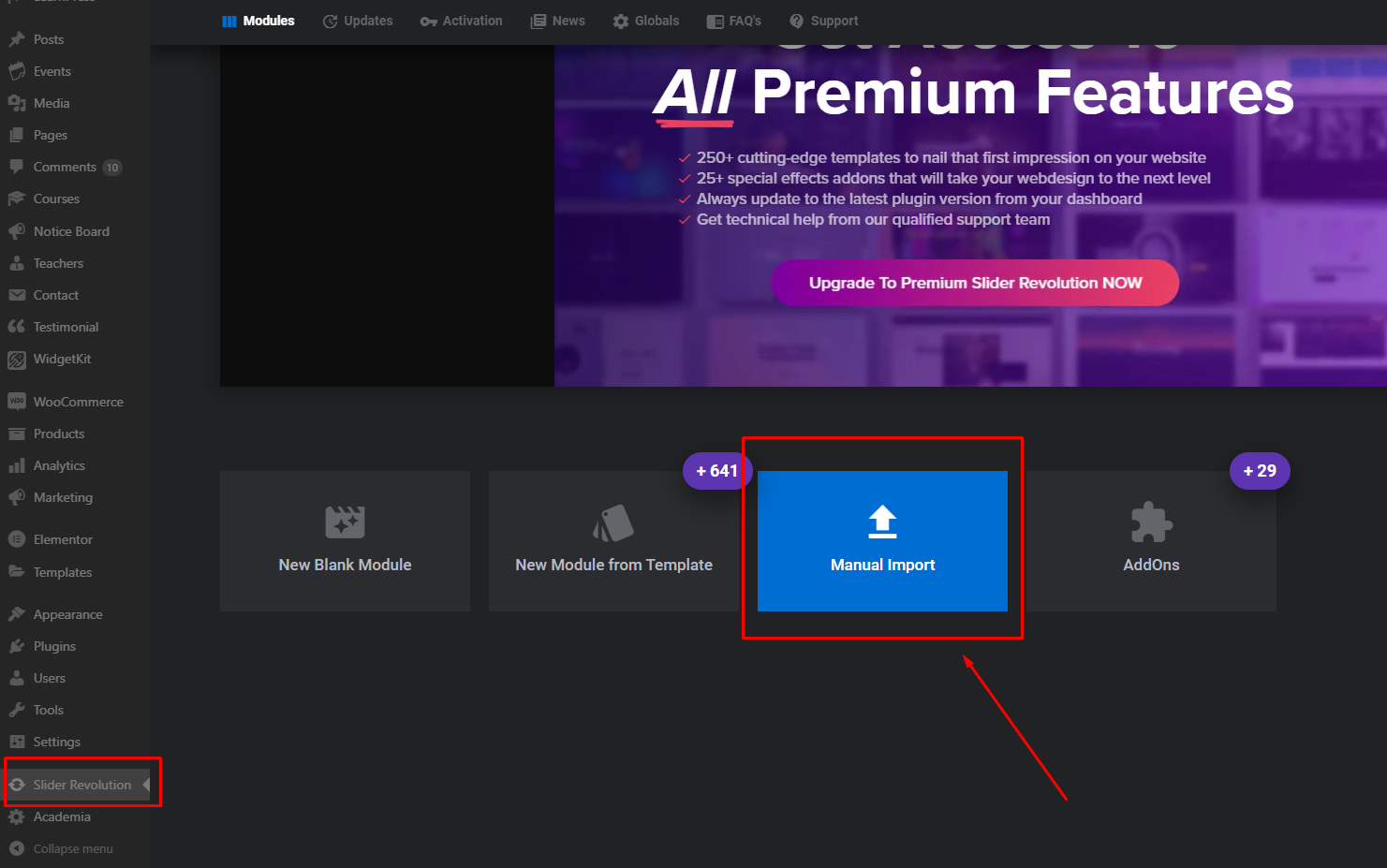
- 2. Click on "Manual Import".
- 3. Drag and Drop the sliders. The Sliders are available in the Sliders folder which is available inside the Academia Package folder.
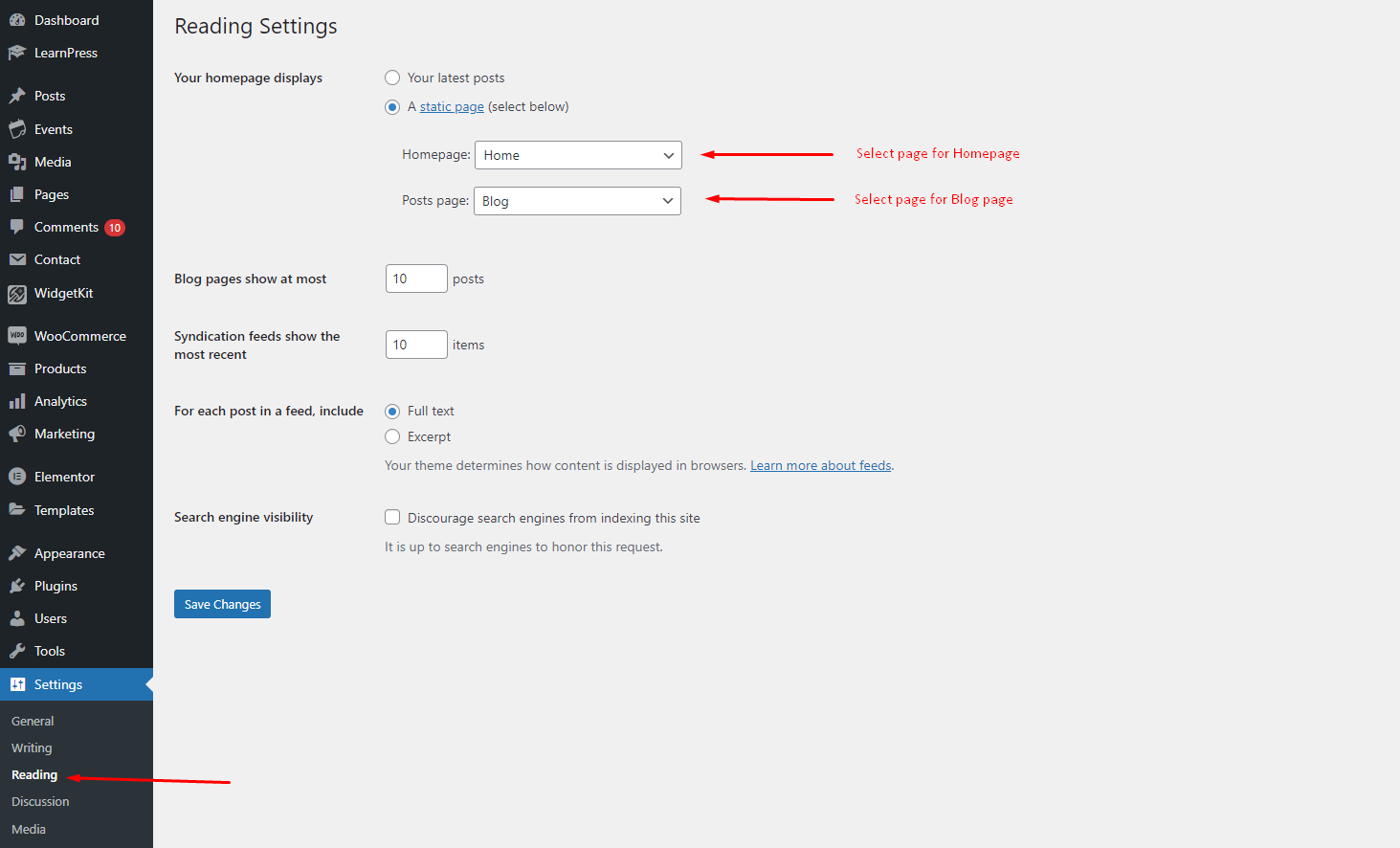
Homepage & Blog Setup
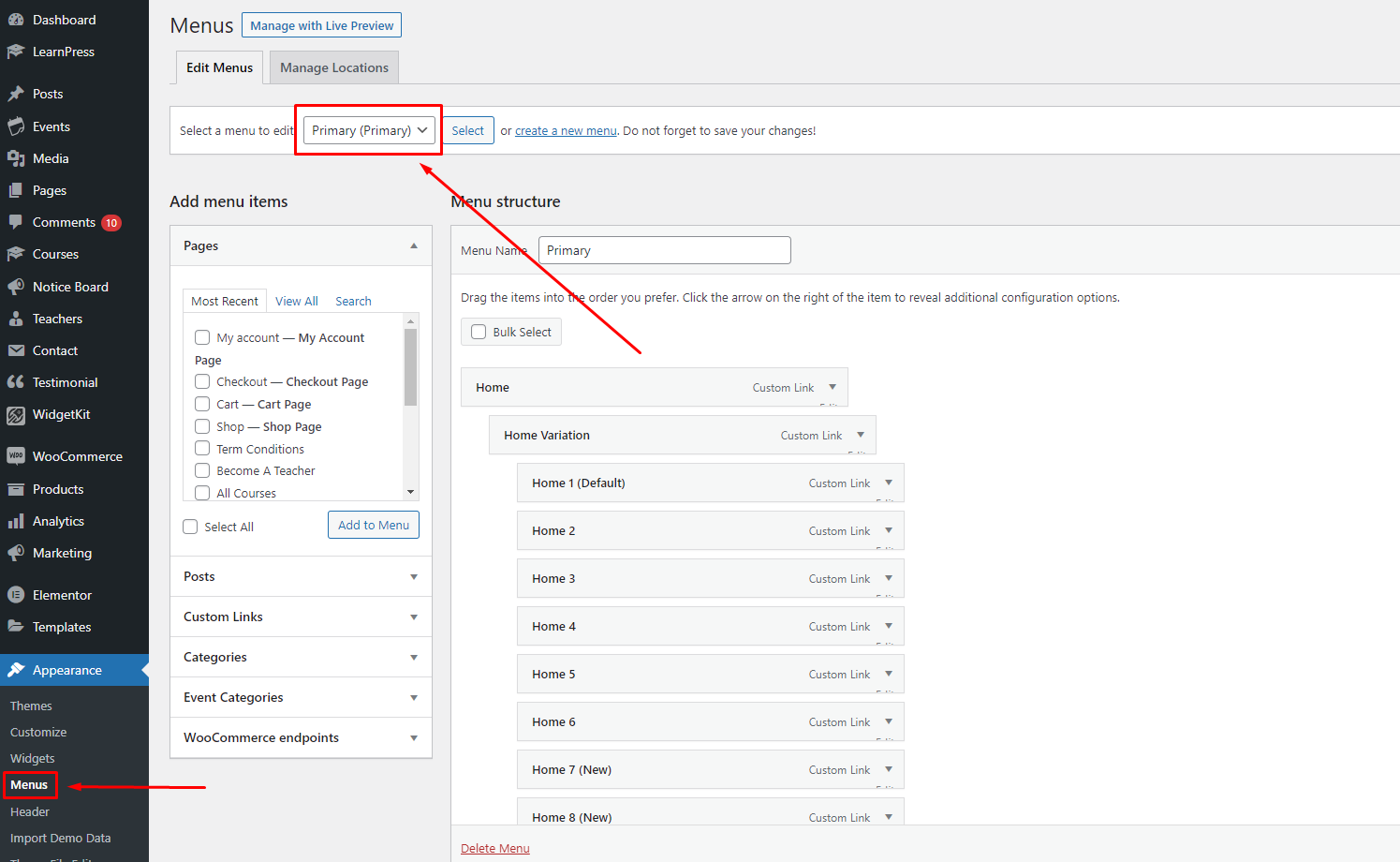
Menu Setup
- 1. Navigate to Appearance > Menus.
- 2. Create a menu or use our existing menu "Main Menu"
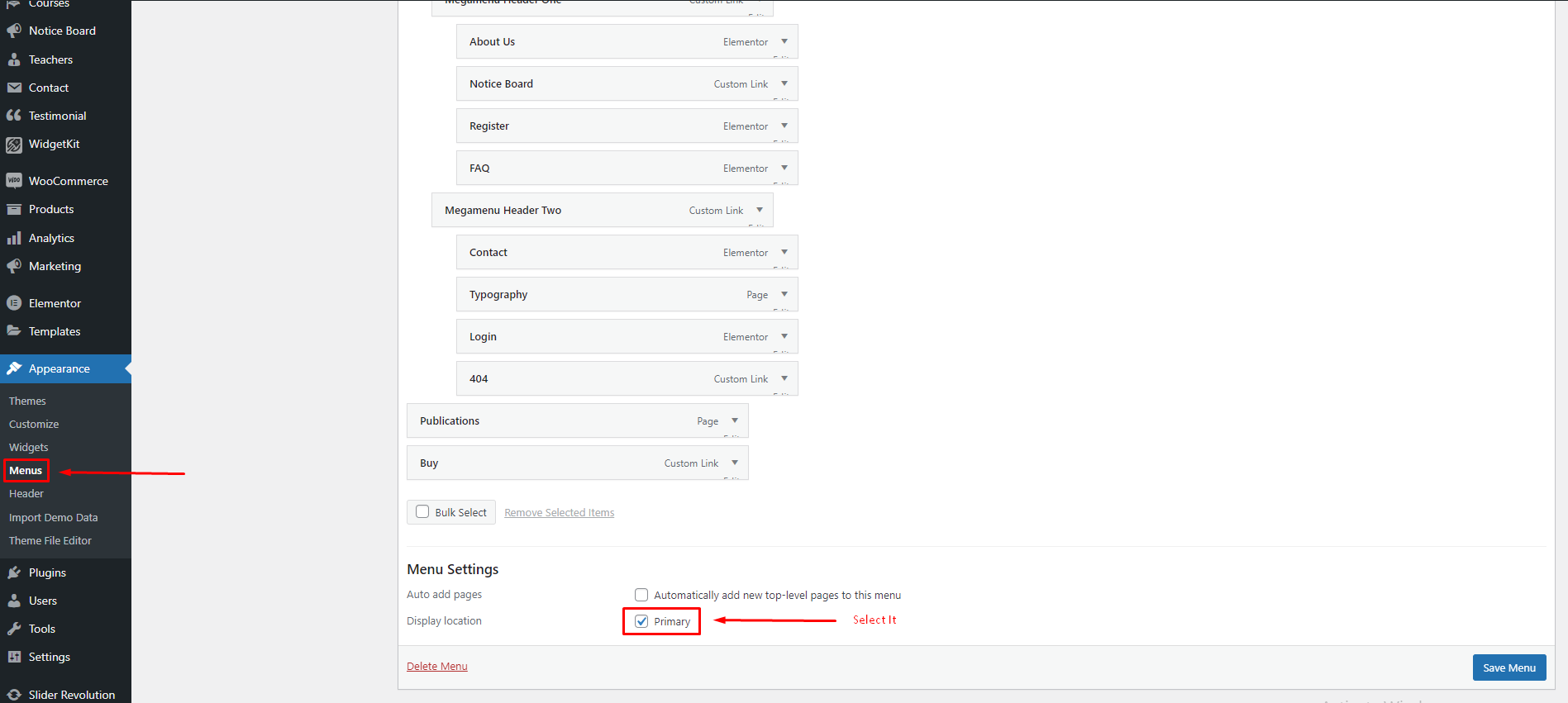
- 3. Select Primary
Create New Page
To create a new page, follow the steps:
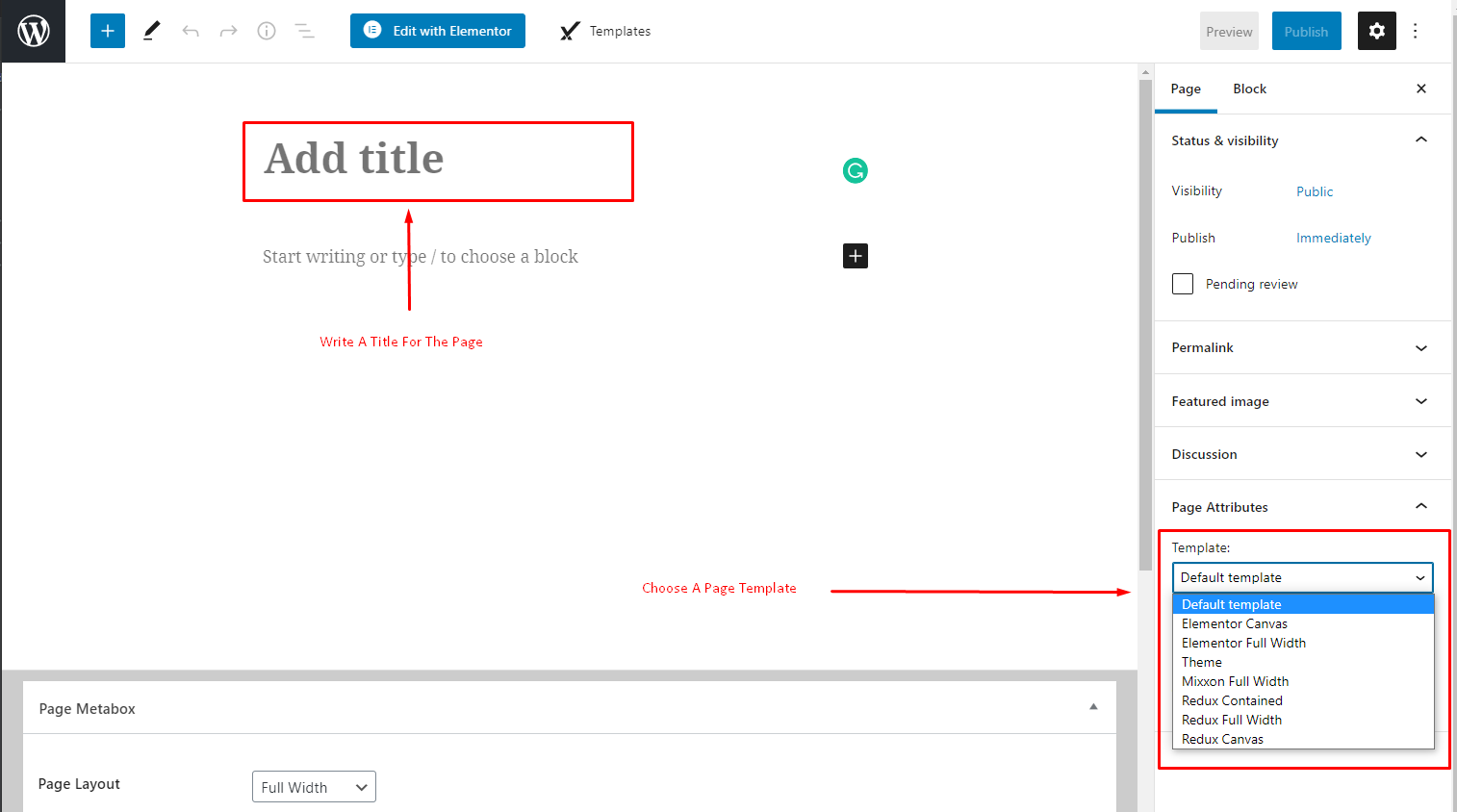
- 1. Navigate to Pages > Add New.
- 2. Write a title for the page and choose a page Template. We recommend to choose the "Elementor Full Width" Template.
Elementor Page Builder
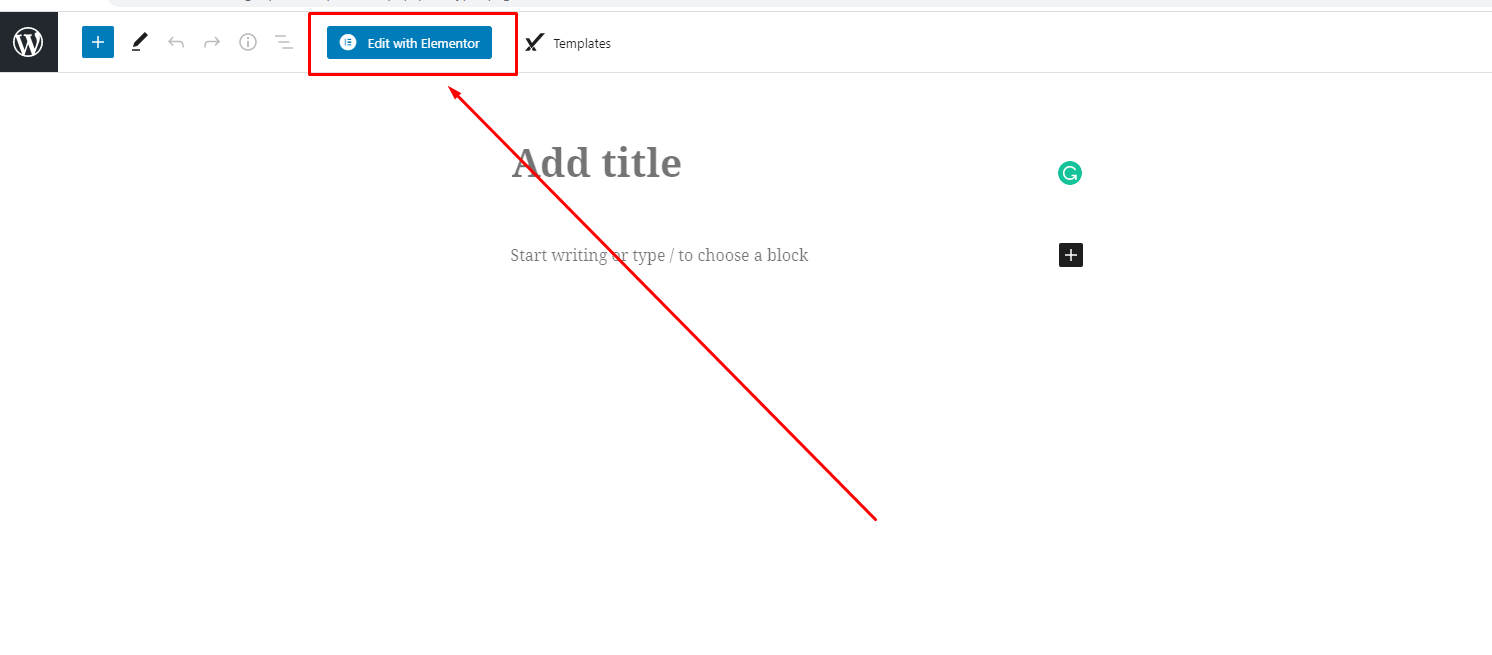
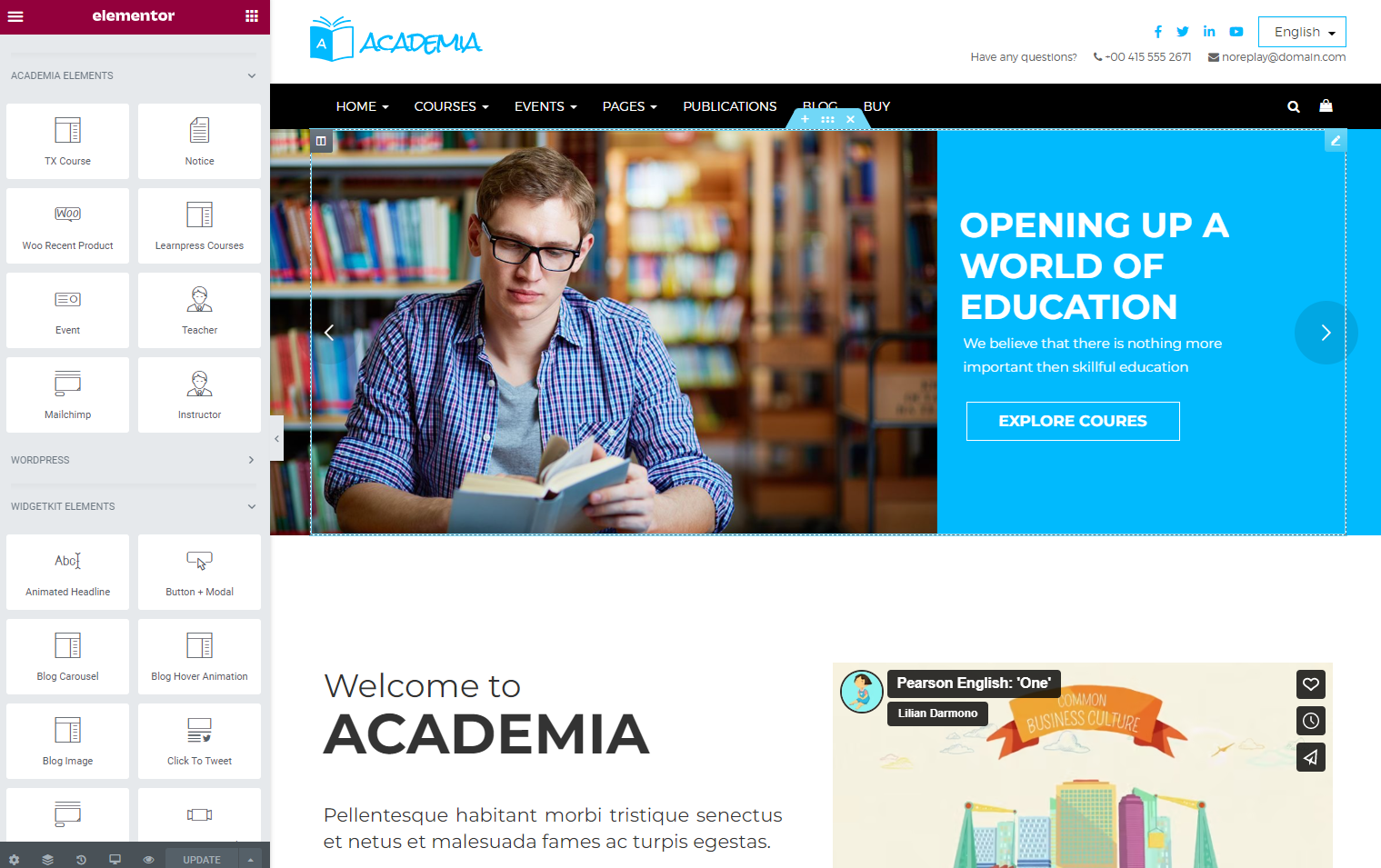
- Click On "Edit with Elementor" to edit your page.
Theme Options
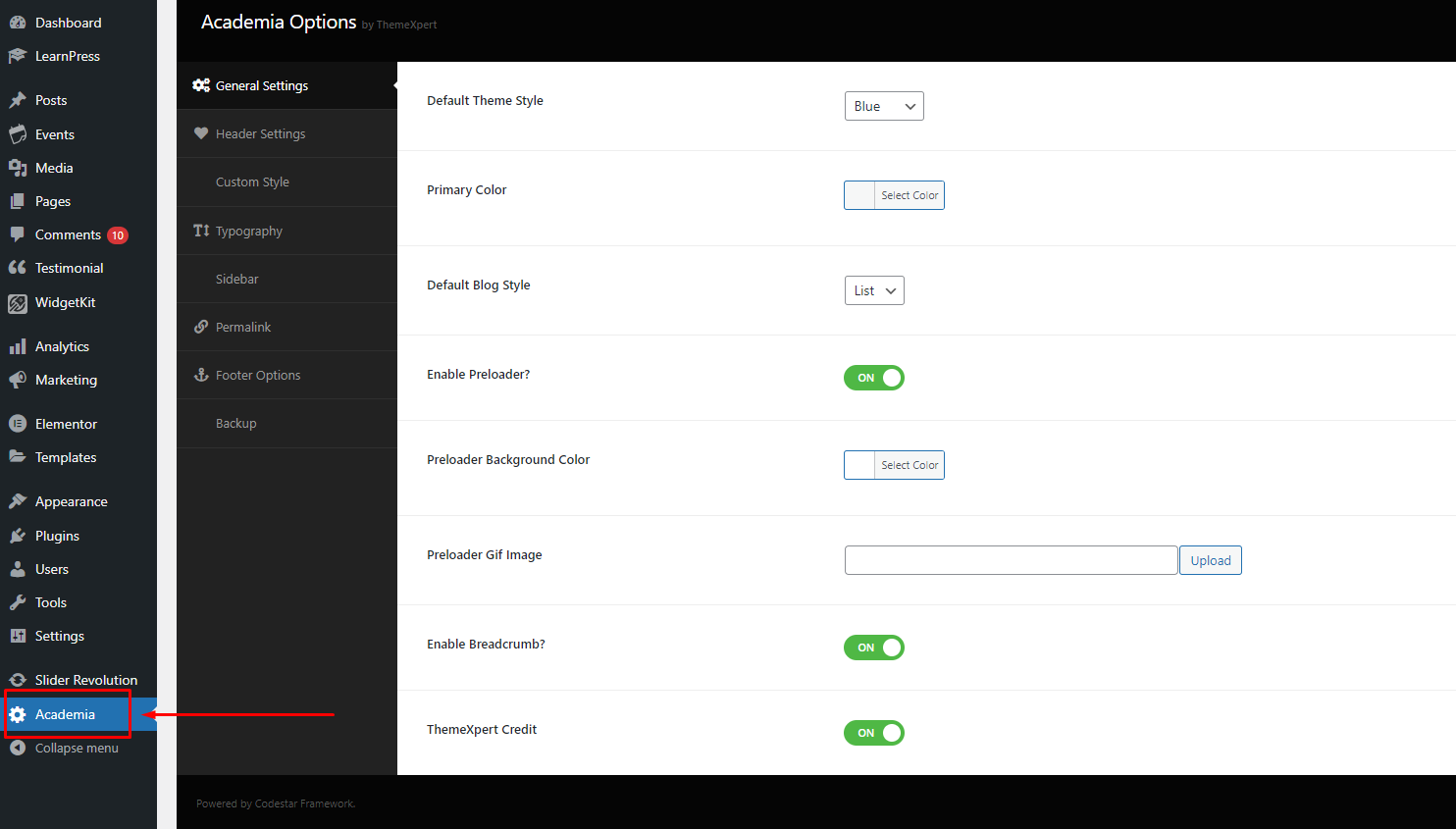
- Theme's Setting Options are available in "Academia Options" panel.
How to add widget
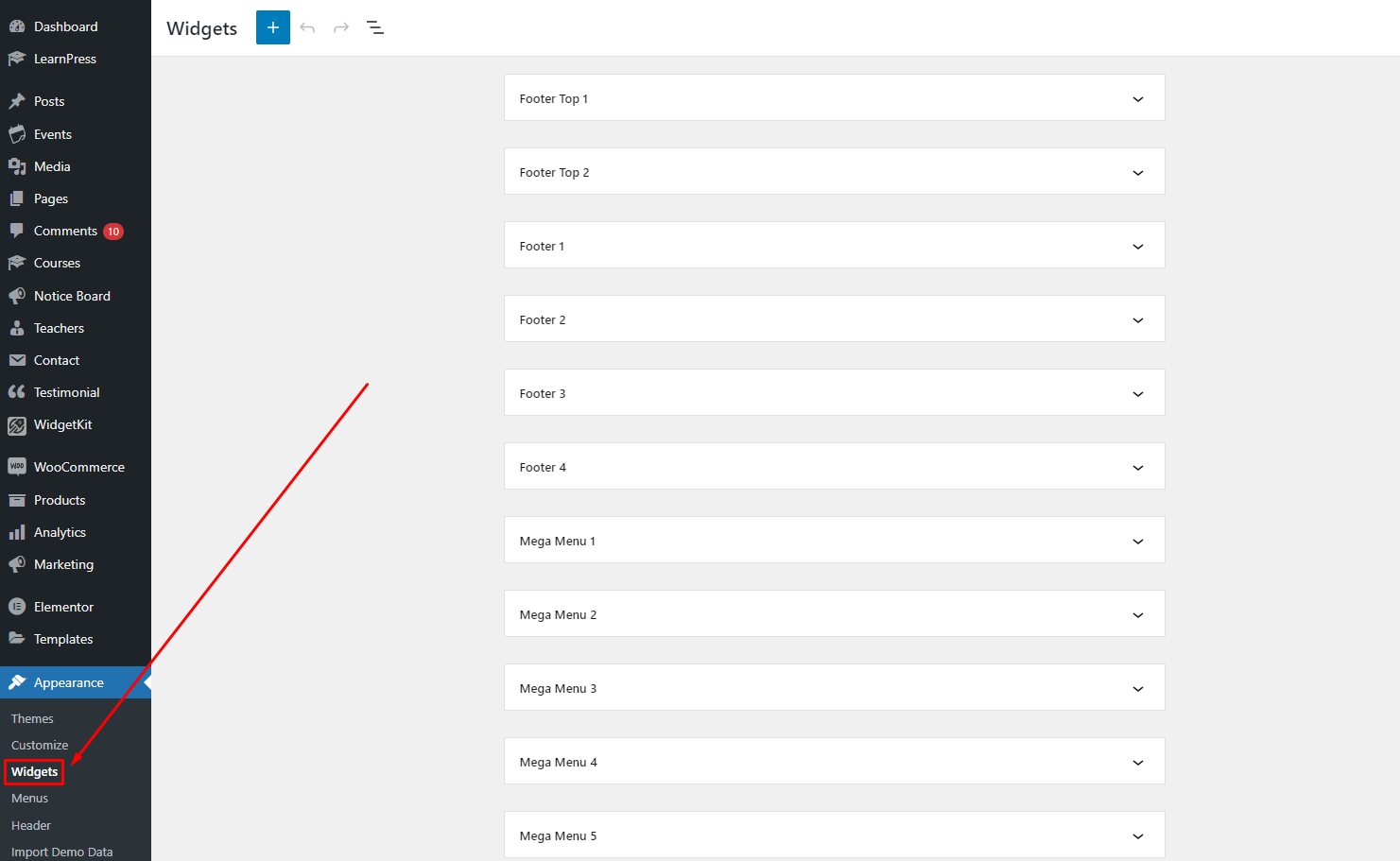
- 1. Navigate to Appearance > Widgets. You can see all widgets.
Customer Support
If you will not understand anything of the documentation or face any problem, please contact with us via themeforet or email us: [email protected], Our dedicated support team members are ready to help you.